What the Cerbo GX Does
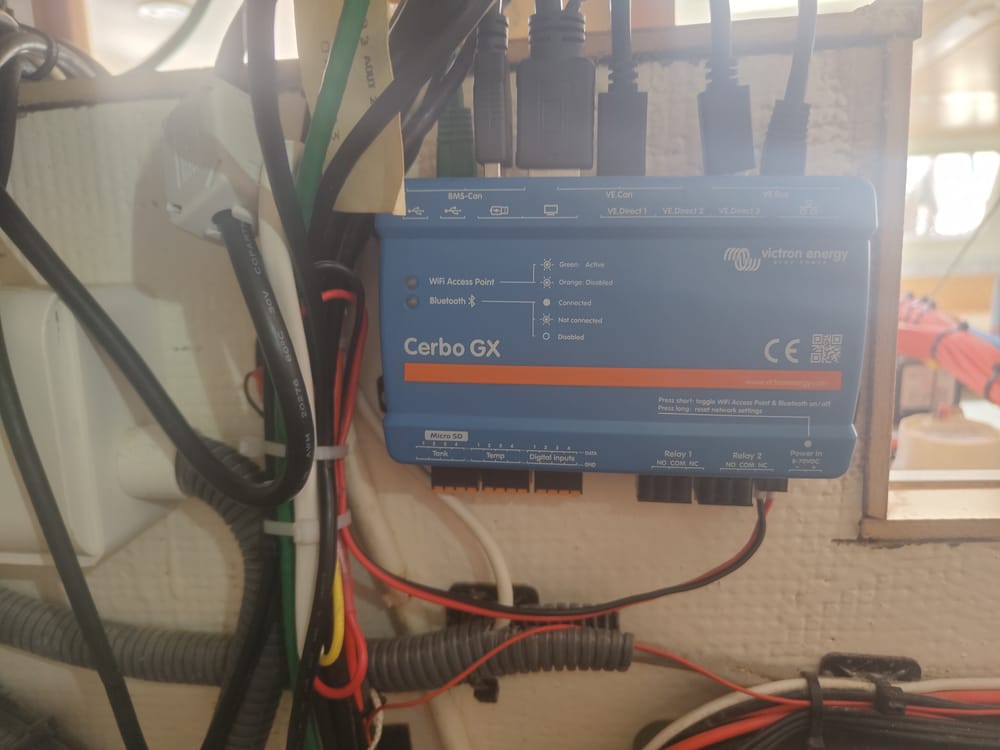
The Victron Cerbo GX is the brain of a Victron monitoring system. It connects to your solar charge controllers, battery monitors, inverters, and tank sensors over VE.Direct, VE.Can, and VE.Bus — then gives you a single dashboard showing everything happening in your electrical system.
It also connects to the internet (Ethernet, Wi-Fi, or cellular) and pushes all your data to Victron's VRM portal. That means you can check your battery state of charge, solar production, and shore power status from your phone — anywhere in the world.
We run a Cerbo GX MK2 on our boat. It is the single most useful piece of monitoring hardware aboard.
What You Need
- Cerbo GX MK2 — The latest version. The MK2 has a faster processor, more RAM, and better Wi-Fi than the original Cerbo.
- GX Touch display (optional) — A 5" or 7" inch touchscreen that mounts on a wall or panel. Shows the same dashboard you see in VRM. Not required if you are fine using the app or web portal.
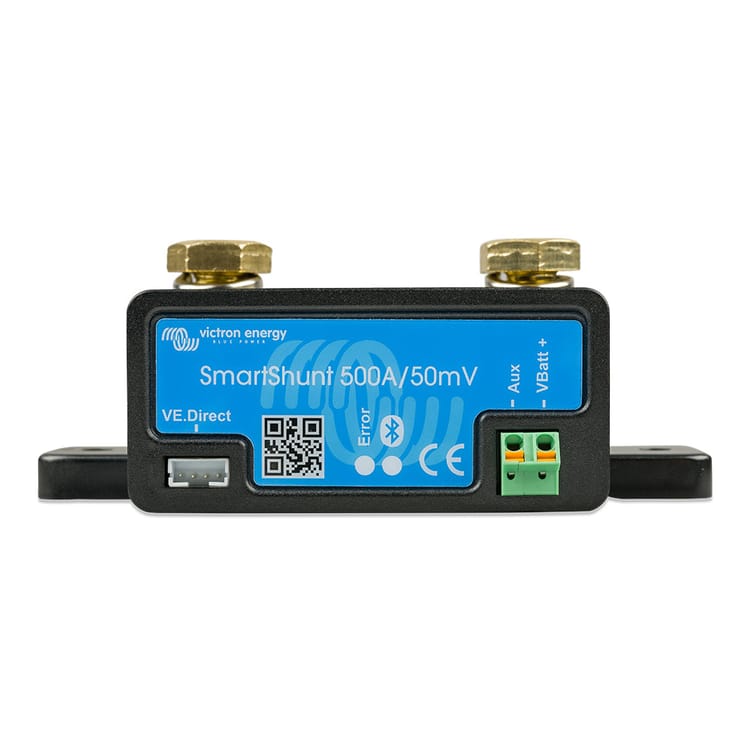
- At least one Victron device to connect. A SmartShunt, MPPT solar controller, or MultiPlus inverter. The Cerbo is useless by itself — it needs devices to talk to.
- VE.Direct cables. These connect your Victron devices to the Cerbo. One cable per device. They are not included with the Cerbo.
→ Victron Cerbo GX MK2 on Dupree Products
Installation
Mounting
The Cerbo mounts with four screws on any flat surface. Pick a location that is dry, ventilated, and accessible — you will occasionally need to plug in USB devices or press the reset button. Near your electrical panel is ideal.
Power
The Cerbo runs on 8-70V DC. Connect it directly to your battery bank or DC bus bar. It draws about 3W — negligible. Use the included power cable with the ferrule terminals.
Connecting Devices
Each Victron device connects to the Cerbo via a specific port:
- VE.Direct ports (2x on MK2): SmartShunt, MPPT solar controllers, Phoenix inverters. One cable per device. If you have more than 2 VE.Direct devices, use a USB-to-VE.Direct adapter.
- VE.Can port: Lynx Smart BMS, Cerbo accessories, NMEA 2000 network (with an adapter). Daisy-chain capable.
- VE.Bus port: MultiPlus and Quattro inverter/chargers. This is how the Cerbo controls your inverter — remote on/off, charge current limiting, etc.
- USB ports: GPS dongles, cellular modems, additional VE.Direct adapters, or a Zigbee/Z-Wave stick for Home Assistant integration.
- Tank sensor inputs: Or connect a GX Tank 140 for up to 4 additional tank level sensors.
Network
Connect the Cerbo to your network via Wi-Fi or Ethernet. Once online, it automatically registers with VRM (Victron Remote Management). Log in at vrm.victronenergy.com with your Victron account and your system appears. First-time setup takes about 5 minutes.
What You See in VRM
The VRM dashboard shows:
- Battery state of charge, voltage, current, and time remaining
- Solar production (per controller if you have multiple MPPTs)
- Shore power / generator input
- AC loads and DC loads
- Tank levels (fresh, black, gray, fuel)
- Historical data — daily, weekly, monthly trends
- Alarms — low battery, high temperature, lost communication
The historical data is the most underrated feature. After a month, you can see exactly how much solar you produce per day, what your average consumption is, and whether your system is sized correctly. This data is what lets you make informed decisions about adding panels or batteries.
Advanced: MQTT and Home Assistant
The Cerbo supports MQTT output — it can publish every data point to an MQTT broker in real time. If you run Home Assistant on a Raspberry Pi aboard (which we do), you can pull all your Victron data into HA dashboards, create automations based on battery state, and integrate with Shelly relays and other smart devices.
This is how we built a system where the anchor light turns on at sunset, the cabin fans speed up when temperature exceeds 82°F, and we get a Telegram alert if battery drops below 30%. The Cerbo is the data source, Home Assistant is the automation engine.
See our Home Assistant + Shelly guide
Common Issues
- Wi-Fi drops: The built-in Wi-Fi antenna is weak. If your router is more than 20 feet away through walls, use Ethernet or add a USB Wi-Fi dongle with a better antenna.
- VE.Direct cable limits: Only 2 ports on the MK2. If you have 3+ VE.Direct devices, buy a VE.Direct-to-USB adapter ($25). It works perfectly.
- Firmware updates: The Cerbo updates automatically when connected to the internet. Occasionally an update changes behavior or breaks something. You can pin a specific firmware version in the settings if stability matters more than new features.
The Bottom Line
If you have any Victron equipment, the Cerbo GX ties it all together and gives you visibility you cannot get any other way. The remote monitoring alone is worth the price — knowing your battery state from 1,000 miles away is not a luxury, it is peace of mind. Start with the Cerbo and a SmartShunt, add solar and an inverter later. The platform grows with you.
→ Victron Cerbo GX MK2 on Dupree Products