Before You Start
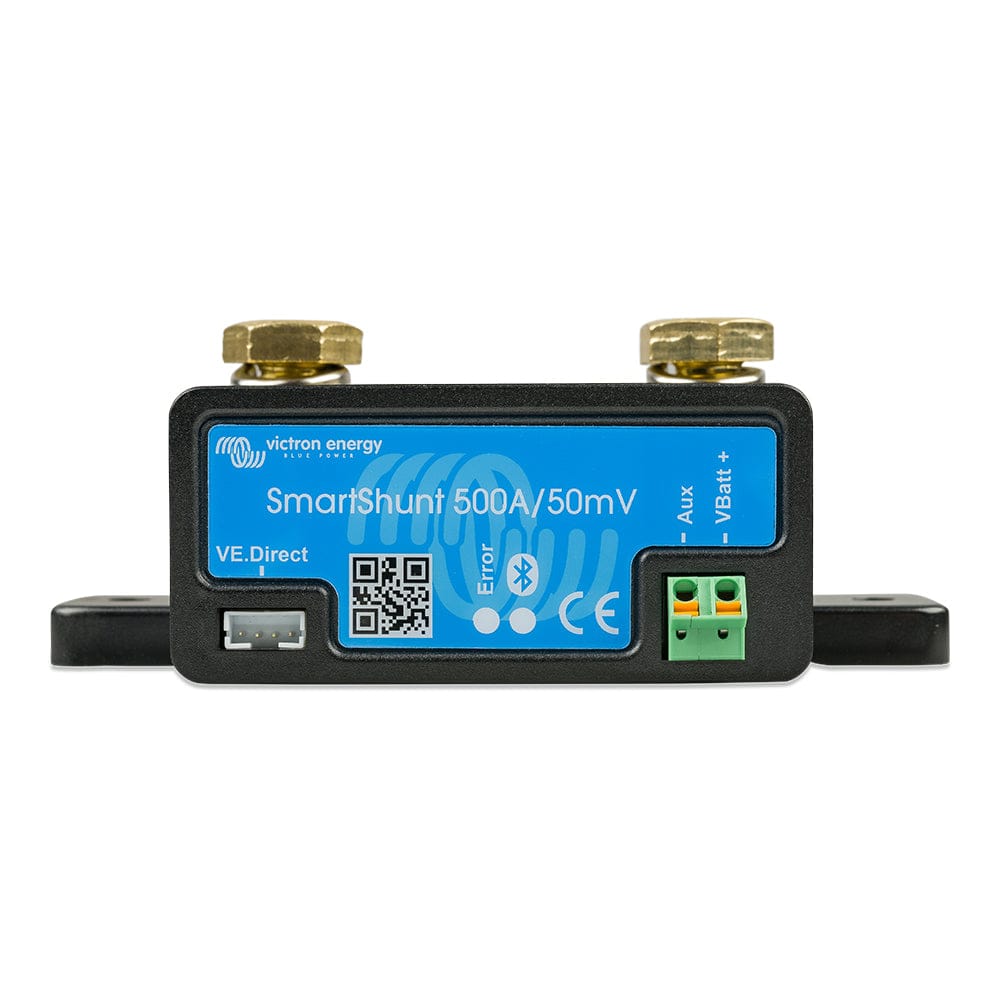
This guide covers wiring a Victron SmartShunt 500A on a 12V system. The same principles apply to 24V and 48V systems — the SmartShunt does not care about system voltage. What matters is that every amp flowing in and out of your battery bank passes through the shunt.
You will need:
- Victron SmartShunt 500A (comes with shunt, wiring harness, and fuse)
- Appropriately sized battery cable for your system (typically 2/0 AWG or 4/0 AWG)
- Ring terminals and a crimping tool
- A wrench for the shunt bolts (M10)
- 30 minutes
The Wiring Rule
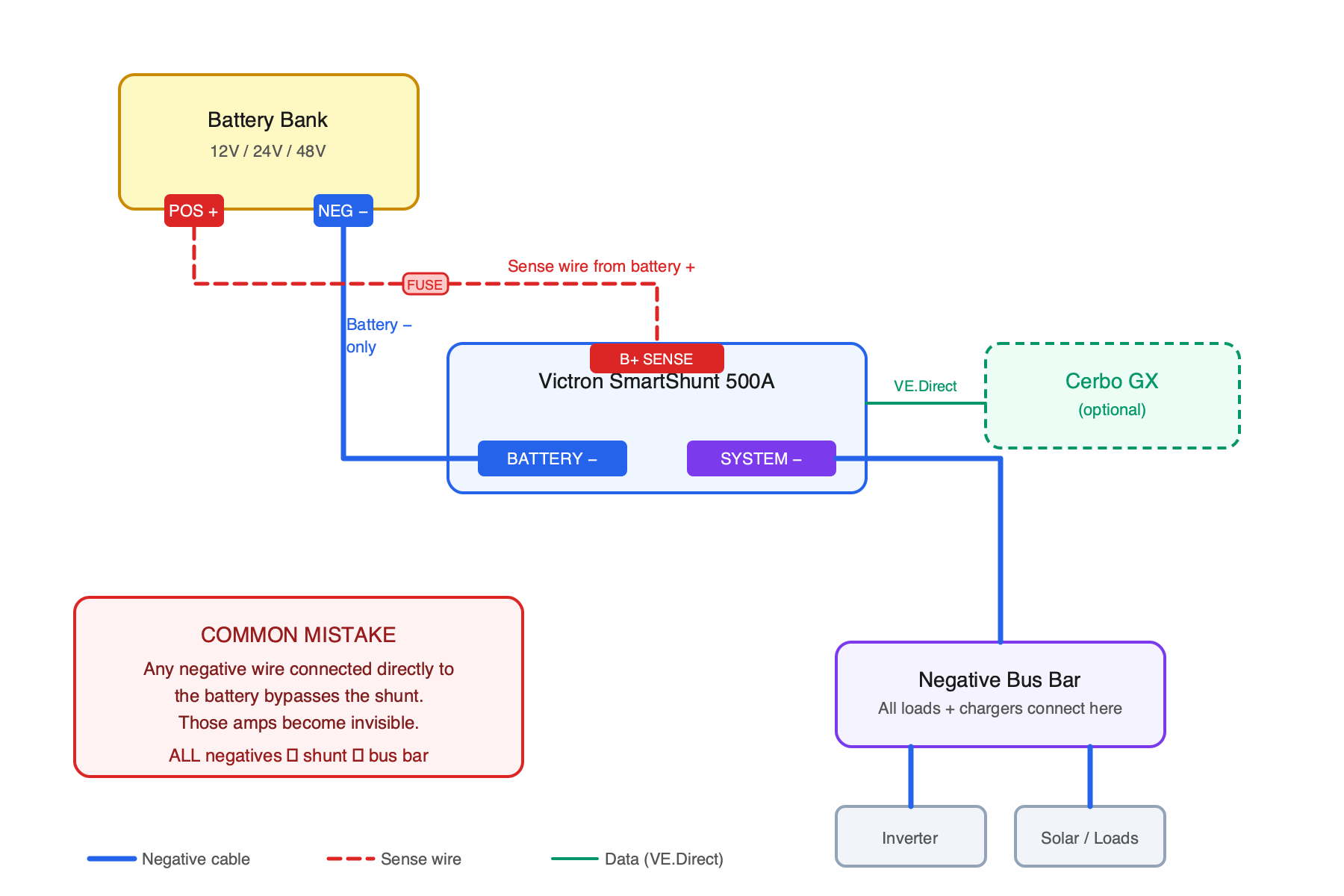
The SmartShunt has two sides: BATTERY and SYSTEM.
- BATTERY side: connects to the negative terminal of your battery bank. Only the battery negative cable goes here. Nothing else.
- SYSTEM side: connects to everything else — all negative loads, all charging sources, all ground connections.
This is the most important concept. If any negative wire connects directly to the battery negative post instead of going through the shunt, those amps are invisible to the monitor. Your state of charge will drift and become inaccurate.
Step by Step
1. Disconnect the Battery
Turn off all loads and disconnect the positive battery terminal first, then the negative. You are working on the negative side, so disconnecting power prevents accidental shorts.
2. Mount the Shunt
The SmartShunt mounts with two M6 screws. Pick a location close to your battery bank where the cable runs are short. The shunt does not need ventilation or cooling — it generates negligible heat at normal loads.
3. Wire the Battery Side
Run a cable from your battery bank's negative terminal to the BATTERY side of the shunt (the side with the single bolt marked "BATTERY MINUS"). Use the same gauge cable as your main battery cables — this carries your full system current.
Crimp a ring terminal, bolt it to the shunt, and torque the M10 nut firmly. A loose connection here means voltage drop and heat.
4. Wire the System Side
Move all existing negative connections — load bus bar, inverter negative, charge controller negative, shore charger negative, everything — to the SYSTEM side of the shunt. If you have a negative bus bar, the cleanest approach is to run one heavy cable from the shunt SYSTEM side to the bus bar, and connect everything to the bus bar.
5. Connect the Sense Wire
The SmartShunt comes with a red sense wire and an inline fuse. Connect this wire from the B+ pin on the shunt's wiring harness to the positive terminal of your battery. This lets the shunt measure battery voltage. Do not skip the fuse.
6. Connect the Wiring Harness
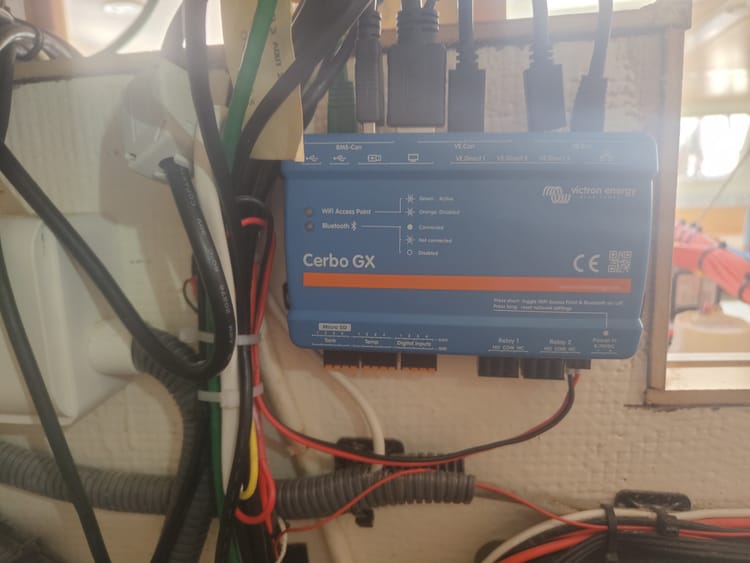
Plug the RJ10 connector from the wiring harness into the shunt. The other end has a VE.Direct connector if you are connecting to a Cerbo GX or GX Touch. If you are only using Bluetooth, you do not need to connect the VE.Direct end to anything.
7. Reconnect and Configure
Reconnect the battery — negative first, then positive. Open the Victron Connect app on your phone and connect to the SmartShunt via Bluetooth. Set your battery capacity (in Ah), chemistry type (lithium, AGM, flooded, etc.), and charge parameters. The defaults are conservative and work for most setups, but getting the charged voltage threshold right matters for auto-sync accuracy.
Common Mistakes
- Grounding the engine or chassis directly to the battery. This bypasses the shunt. Run the engine ground to the system side bus bar instead.
- Forgetting the starter battery. If your house and starter batteries share a negative bus, the starter motor current will flow through the shunt and confuse the readings. Either isolate the starter battery negative or use Victron's "battery starts" setting to filter out starter current.
- Too-small sense wire. The included sense wire is adequate. Do not substitute a thinner wire.
Verifying It Works
After installation, turn on a known load — a light that draws 1A, for example. The SmartShunt should show approximately -1A current draw. Charge your batteries to full. The SmartShunt should auto-sync to 100% when it detects the tail current dropping below the threshold you configured.
If the current reading seems wrong or the state of charge drifts rapidly, you have a bypass — a negative wire somewhere that is not going through the shunt. Trace every wire connected to the battery negative post and move it to the system side.
→ Victron SmartShunt 500A on Dupree Products