What the Cerbo GX Does
The Victron Cerbo GX is the brain of a Victron monitoring system. It connects to your solar charge controllers, battery monitors, inverters, and tank sensors over VE.Direct, VE.Can, and VE.Bus — then gives you a single dashboard showing everything happening in your electrical system.
It also pushes that data to Victron's VRM portal over the internet, so you can check your battery state of charge, solar production, and shore power status from anywhere in the world. Lose AC at the dock while you're at the grocery store? You'll know.
We've run a Cerbo GX MK2 on our boat for years. It is the single most-checked piece of monitoring hardware aboard. This guide walks through exactly how we have it set up, what we wish we'd known before installing, and how to get the most out of it.
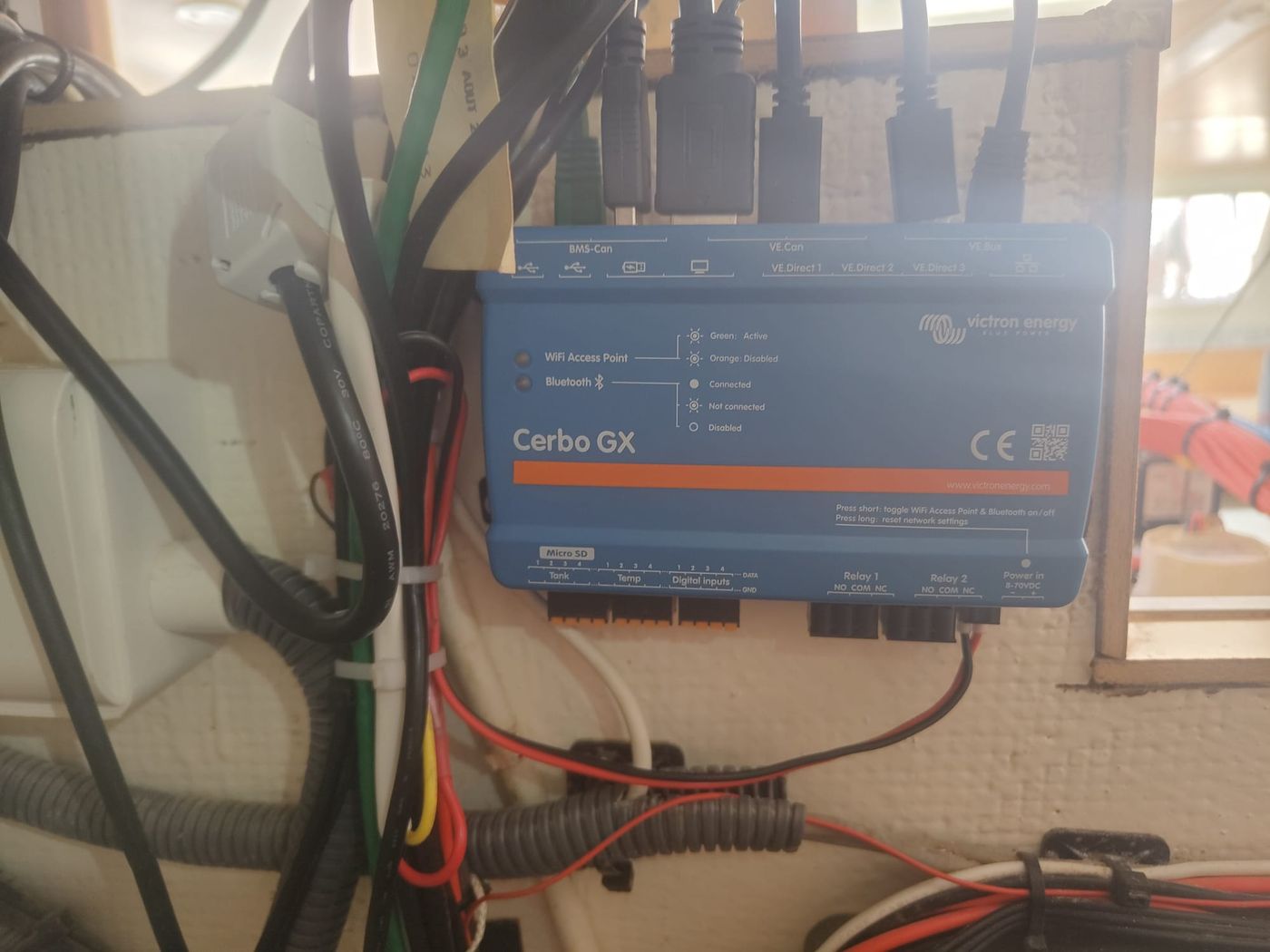
![PLACEHOLDER: Photo of the Cerbo GX MK2 mounted near the electrical panel on our boat]
Where the Cerbo Fits in Our System
On our boat, the Cerbo aggregates data from:
- Victron Quattro II inverter/charger (via VE.Bus)
- Victron SmartShunt 500A house battery monitor (via VE.Direct)
- Multiple Victron SmartSolar MPPT charge controllers (via VE.Direct)
- Mopeka Pro Check tank sensors (via Bluetooth, USB Bluetooth dongle on the Cerbo)
- Two temperature probes monitoring battery compartment and engine room
- Generator start/stop signaling (relay output)
All of that data goes three places at once:
- VRM cloud portal for remote monitoring
- GX Touch 50 display at the nav station for at-a-glance status
- Home Assistant running on a Raspberry Pi aboard, via MQTT
The Cerbo isn't doing anything fancy — it's a router for marine system data. But because it speaks every Victron protocol natively and exposes everything via MQTT, it's the cleanest way to get that data anywhere else you want it.
![PLACEHOLDER: Network diagram showing Cerbo connections to Quattro II, SmartShunt, MPPTs, GX Touch, and the Pi running Home Assistant]
Cerbo GX vs MK2 vs Ekrano vs Cerbo S
Victron has muddied the lineup over the past few years. Here's the short version:
| Model | When to Buy |
|---|---|
| Cerbo GX MK2 | The default. Faster CPU than original Cerbo, better Wi-Fi, more RAM. Buy this. |
| Cerbo GX (original) | Don't buy new — buy MK2 instead. Used market is fine. |
| Cerbo S GX | Stripped-down, fewer ports, cheaper. Only worth it for very small systems with 1-2 devices. |
| Ekrano GX | Cerbo + built-in 7" touchscreen. Good if you want one device instead of Cerbo + GX Touch. |
We run the MK2 + a separate GX Touch 50 because the GX Touch can be mounted somewhere convenient at the nav station while the Cerbo lives near the electrical panel where the wiring lives. If you want a single device at one location, the Ekrano is cleaner.
→ Victron Cerbo GX MK2 on Dupree Products — $272.85
What You Need
For a basic install:
| Item | Approx Price | Why |
|---|---|---|
| Cerbo GX MK2 | $273 | The brain |
| GX Touch 50 (optional) | $260 | Local 5" touchscreen display |
| VE.Direct cables (2-3) | $10 each | One per device. Various lengths (0.3m to 5m) |
| Power cable | included | 8-70V DC input |
| Ethernet cable | a few dollars | If you're going wired (recommended) |
| At least one Victron device | varies | SmartShunt, MPPT, or MultiPlus |
Optional but useful:
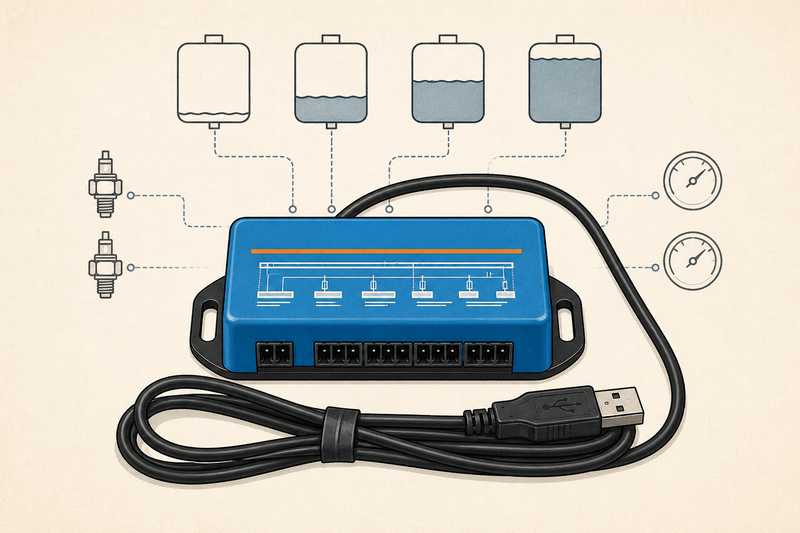
- GX Tank 140 (~$130) — adds four 4–20 mA or 0–10 V tank-sensor inputs for pressure and voltage-output senders
- USB-to-VE.Direct adapter ($25) — for adding more VE.Direct devices beyond the 2 built-in ports
- USB Bluetooth dongle (~$15) — required if you want the Cerbo to read Mopeka tank sensors directly
- Temperature sensors ($20 each) — Victron-branded, plug into the Cerbo's temp inputs
Total realistic system cost on the low end: around $300 + your existing Victron gear. For a fully-featured install with display and tank monitoring: $650-800.
Choosing a Mounting Location
The Cerbo isn't waterproof. It needs to be in a dry locker or behind a panel. Beyond that, three things matter:
1. Cable runs. Every VE.Direct device, the VE.Bus to your MultiPlus, and the Ethernet to your network all terminate at the Cerbo. Mount it where those cables can reach without absurd routing. We mounted ours about 18 inches from the SmartShunt and Quattro II, and the Ethernet runs under the salon sole to a switch at the nav station.
2. Access. You'll occasionally plug in USB devices, factory-reset, or just check the status LEDs. A locker that requires removing five screws to open is a bad choice. Behind a hinged panel is ideal.
3. Heat and humidity. Don't mount it in the engine room. Don't mount it next to the inverter where it cooks at 50°C in the summer. A salon locker or near the nav station works best.
![PLACEHOLDER: Photo of Cerbo mounted in the locker on our boat, showing cable routing]
Power Wiring
The Cerbo runs on 8-70V DC and draws about 3W. Wire it to a fused circuit on your house bank — we use a 2A inline fuse from a circuit breaker on the DC distribution panel.
The included power cable has ferrule terminals. Don't strip and tin and crimp into a generic terminal block — Victron specifically provides ferrules so the connection stays gas-tight in marine environments. Use the included cable.
Keep the Cerbo on the always-on house bank circuit, not switched. You want it monitoring even when the rest of the boat is off.
Connecting Devices
This is where most people get tripped up. Each Victron device speaks one of three protocols:
VE.Direct (2 ports on the MK2)
Used by: SmartShunt, MPPT solar controllers, Phoenix inverters, Orion XS DC-DC chargers.
Each device needs its own cable. The cables come in 0.3m, 0.9m, 1.8m, 3m, 5m, and 10m lengths — buy the right length, don't coil 10 meters of excess in a locker.
If you have more than 2 VE.Direct devices (and you will — a typical setup is SmartShunt + 2-3 MPPTs), buy the USB-to-VE.Direct adapter ($25) and plug it into one of the Cerbo's USB ports. Adds another VE.Direct port.
VE.Bus (1 port)
Used by: MultiPlus and Quattro inverter/chargers.
This is how the Cerbo controls your inverter — remote on/off, charge current limiting, AC input current limit. The cable is RJ45-style. Important: the VE.Bus port is also how the GX Touch 50 connects to the Cerbo if you have one.
VE.Can (1 port)
Used by: Lynx Smart BMS, NMEA 2000 networks (with adapter), Skylla-i chargers.
You can also bridge to NMEA 2000 here using a VE.Can to NMEA 2000 cable ($30). This lets the Cerbo see other NMEA 2000 devices on your boat — depth, wind, AIS — though most installs don't need this. We use it on our boat to pull in tank levels from a Maretron module on the N2K backbone.
USB
GPS dongles (for putting your boat's location on VRM), cellular modems for backup connectivity, Bluetooth dongles for Mopeka tank sensors, Zigbee or Z-Wave radios for Home Assistant integration.
Tank inputs
Four resistive tank level inputs on the Cerbo itself. These accept standard 0-180Ω, 10-180Ω, or 240-30Ω senders. Most factory tank senders work directly. If you have more than 4 tanks (or you're using BLE Mopekas), the inputs go unused.
Temperature inputs
Two temperature inputs accept Victron-branded probes (~$20 each) for monitoring battery, alternator, fridge, or anywhere else you care about.
![PLACEHOLDER: Close-up of Cerbo back panel showing each port labeled]
Network Setup
Connect the Cerbo to your boat's network via Ethernet (recommended) or Wi-Fi.
Ethernet is more reliable. The built-in Wi-Fi antenna is weak — fine if your router is in the same locker, marginal across a saloon, useless across the boat. We hard-wire ours.
Wi-Fi works if your router is close. Settings are in the Cerbo's local web interface (point a browser at its IP address) or the GX Touch.
First-time setup
- Power up the Cerbo
- From a phone or laptop on the same network, browse to
http://venus.localor the Cerbo's IP - The local web UI gives you Settings → Wi-Fi or Settings → Ethernet to configure the network
- Once online, the Cerbo automatically registers with VRM
- Log in at vrm.victronenergy.com with your Victron account
- Your system appears under "Installations" within a few minutes
Set a static IP or a DHCP reservation. You'll want to know where to find the Cerbo on your network for MQTT, Home Assistant, and troubleshooting.
What You See in VRM
![PLACEHOLDER: Screenshot of the VRM dashboard for our boat showing battery SOC, solar production, AC loads]
The VRM dashboard shows:
- Battery state of charge, voltage, current, and time-to-empty (from the SmartShunt)
- Solar production — total and per-controller if you have multiple MPPTs
- Shore power / generator input — AC voltage, current, and frequency
- AC loads and DC loads — what's drawing power right now
- Tank levels — fresh, black, gray, fuel (if connected)
- Temperature sensors — battery, fridge, etc.
- Alarms and notifications — low battery, high temperature, lost communication
The historical data is the killer feature
After a month of use, the Advanced tab gives you graphs of every metric on any time scale. We use this constantly:
- "How much solar did we make last week vs the week before?" → tells us if a panel is shading or failing
- "What's our average daily consumption at anchor?" → tells us how to size the bank
- "What's the lowest the battery got overnight?" → tells us if we need to run the generator earlier
You can also export data as CSV, set up custom alerts, and share access with crew or technicians.
MQTT and Home Assistant
This is where the Cerbo goes from "nice display" to "platform you can build on."
The Cerbo publishes every data point to an internal MQTT broker. Enable it under Settings → Services → MQTT on LAN (SSL). On our boat, we have Home Assistant running on a Raspberry Pi connecting to the Cerbo's MQTT broker, pulling in topics like:
N/<vrm_id>/system/0/Dc/Battery/Soc
N/<vrm_id>/system/0/Dc/Battery/Voltage
N/<vrm_id>/system/0/Dc/Pv/Power
N/<vrm_id>/system/0/Ac/Consumption/L1/Power
(Where <vrm_id> is your unique Cerbo identifier, found in the local web UI.)
Once those topics flow into Home Assistant, you can:
- Build dashboards that combine Victron data with Shelly relay states, Mopeka tank levels, and weather
- Create automations like:
- Anchor light on at sunset
- Cabin fans speed up when interior temperature exceeds 82°F
- Telegram alert if battery SOC drops below 30%
- Generator start command if SOC < 20% and no solar after 8pm
- Display everything on a tablet mounted at the nav station (we use a wall-mounted iPad)
The Cerbo also supports Modbus TCP if you prefer that over MQTT, and Node-RED can be installed directly on the Cerbo via the Venus OS Large image — useful for keeping automations on the device itself rather than running a separate Pi. We chose the Pi route because we wanted Home Assistant for things beyond the Victron data, but Node-RED on Venus is the cleanest pure-Victron automation path.
→ How we use Shelly + Home Assistant on the boat
Signal K Integration
If you run Signal K (the open-source marine data hub), the Cerbo can pipe its data in. Signal K has a dedicated Victron Venus plugin that connects to the Cerbo's MQTT broker and republishes everything in Signal K format alongside your NMEA 2000 data, AIS, weather, and so on.
This matters if you want one unified data layer for everything on the boat — navigation data and electrical data in one schema. We run Signal K on a separate Pi from the Home Assistant Pi (overkill, probably, but it keeps the concerns separated).
Common Issues
After a few years of running this, here are the things we've actually hit:
Wi-Fi drops. The built-in antenna is weak. Solution: hardwire Ethernet, or add a USB Wi-Fi dongle with a real antenna.
VE.Direct cable limit. Only 2 ports on the MK2. If you outgrow it (we did), buy the USB-to-VE.Direct adapter — works perfectly, no caveats.
Firmware updates can change behavior. The Cerbo auto-updates from VRM by default. Once, a firmware change moved an MQTT topic name and broke our Home Assistant integration. You can pin a firmware version in Settings → General → Firmware → Auto update if stability matters more than new features.
MQTT broker disconnects on poor LAN. If your boat network drops out, the local MQTT broker needs a reconnect. Home Assistant handles this automatically, but custom integrations may not. Plan for it.
Tank inputs are picky about senders. Some aftermarket tank senders read inverted, or use non-standard resistance ranges. Configure the curve manually under Settings → Tank Sensor Setup.
No way to trigger remote shutdown. You can monitor everything but you can't, e.g., remotely turn off your fridge if it's draining the battery. For that, you need Shelly relays (or similar) controlled via Home Assistant.
GX Touch sometimes hangs. Pull power and re-plug. Annoying but rare.
VRM history occasionally has gaps. If your internet drops, the Cerbo buffers locally, then re-uploads when reconnected. Usually works. Occasionally a few minutes of data is lost.
What We'd Do Differently
If we were starting over:
- Run Ethernet from day one. We tried Wi-Fi first. Spent two weeks troubleshooting drops before just running cable.
- Buy the GX Tank 140 only if you need it. We use the GX Tank 140 for pressure-output senders as the boat's expensive, difficult-to-replace resistive float senders fail. Its four 4–20 mA or 0–10 V inputs are useful for that migration, but unnecessary if the Cerbo's resistive inputs or wireless sensors already cover every tank.
- Mount it where you can see the LEDs. Status LEDs are the fastest way to confirm "yes, the Cerbo is alive" when something else seems wrong.
Performance and Uptime
In 2+ years aboard, the Cerbo has had maybe a dozen reboots — most from us pulling power for unrelated work. It's never failed unexpectedly. Firmware updates have caused two minor issues (one fixed itself, one we rolled back). Total downtime: less than a day, all-time.
For a piece of marine electronics that lives in a salt-air environment and runs 24/7/365, that's exceptional.
The Bottom Line
If you have any Victron equipment, the Cerbo GX ties it together and gives you visibility you cannot get any other way. The remote monitoring alone is worth the price — knowing your battery state from 1,000 miles away is not a luxury, it is peace of mind.
Start with the Cerbo and a SmartShunt. Add solar and an inverter when you're ready. The platform grows with you, and the data you accumulate becomes more valuable over time.
→ Victron Cerbo GX MK2 on Dupree Products — $272.85
Want this data driving automations instead of just dashboards? Our Home Assistant setup guide shows where the GX fits in a boat or RV Home Assistant install.
Related Articles
- Best Marine Battery Monitor: Victron SmartShunt 500A Review
- How to Wire a Victron SmartShunt: Step-by-Step
- Victron vs Renogy: Which Solar Setup?
- Home Assistant + Shelly on 12V DC